
How to connect your wallet
Six quick steps to join the Miaoushi airdrop with Trust Wallet, MetaMask or any BNB Smart Chain wallet.
⚠️ Open the airdrop page inside your wallet app's browser. Links opened from Telegram, X or other apps can't reach your wallet.
▶️ 20-second video guide
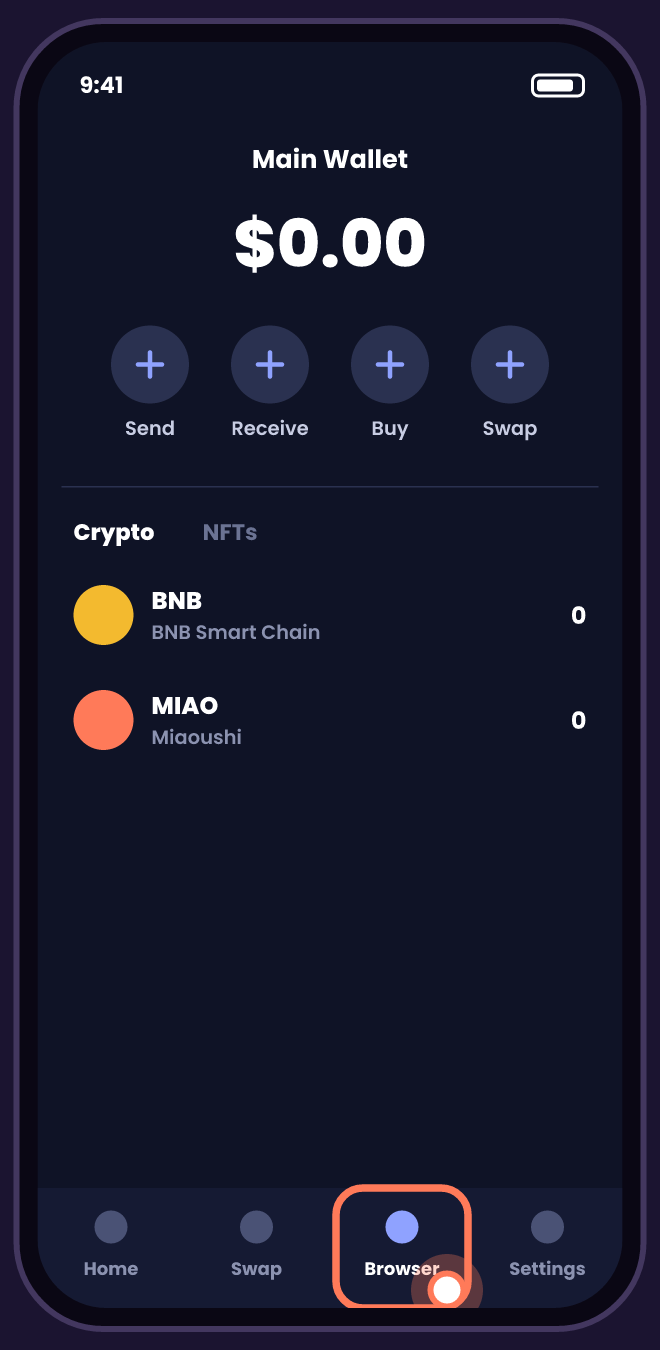
1 Open your wallet app
Open Trust Wallet, MetaMask or another BNB Chain wallet and tap Browser (or Discover).
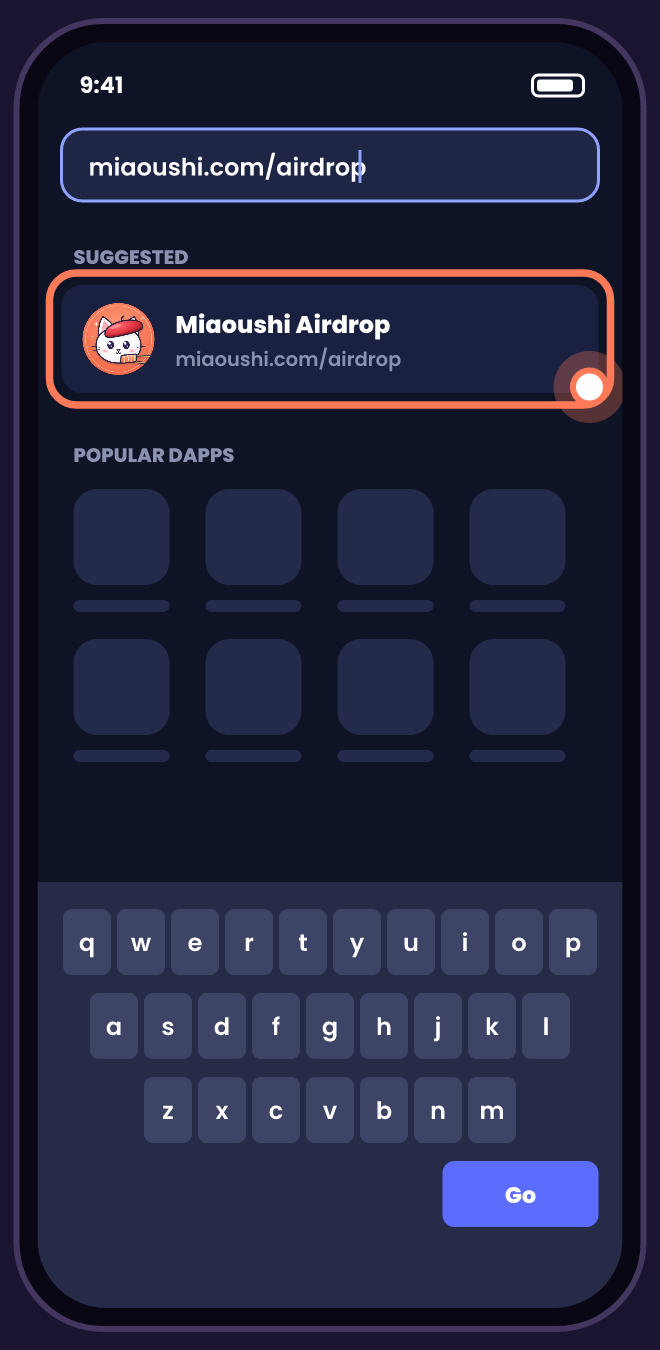
2 Go to miaoushi.com/airdrop
Type miaoushi.com/airdrop in the wallet's browser and open it.
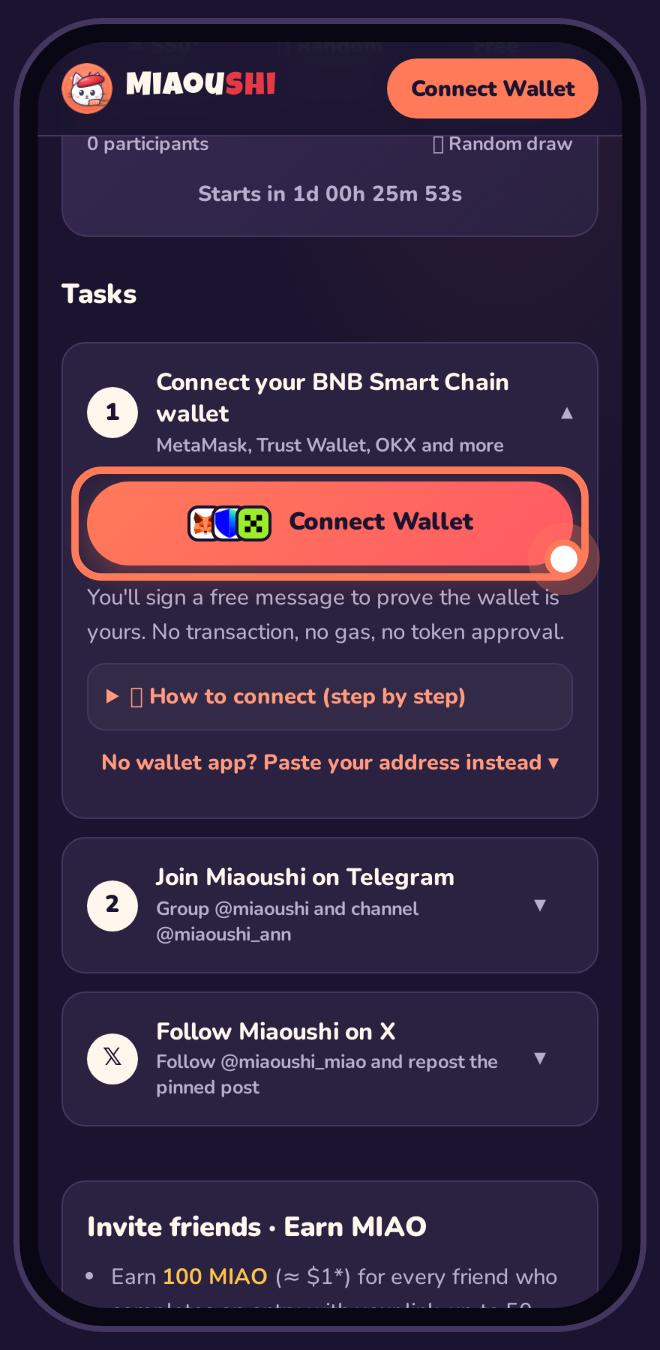
3 Tap Connect Wallet
Scroll to Task 1 and tap the orange Connect Wallet button.
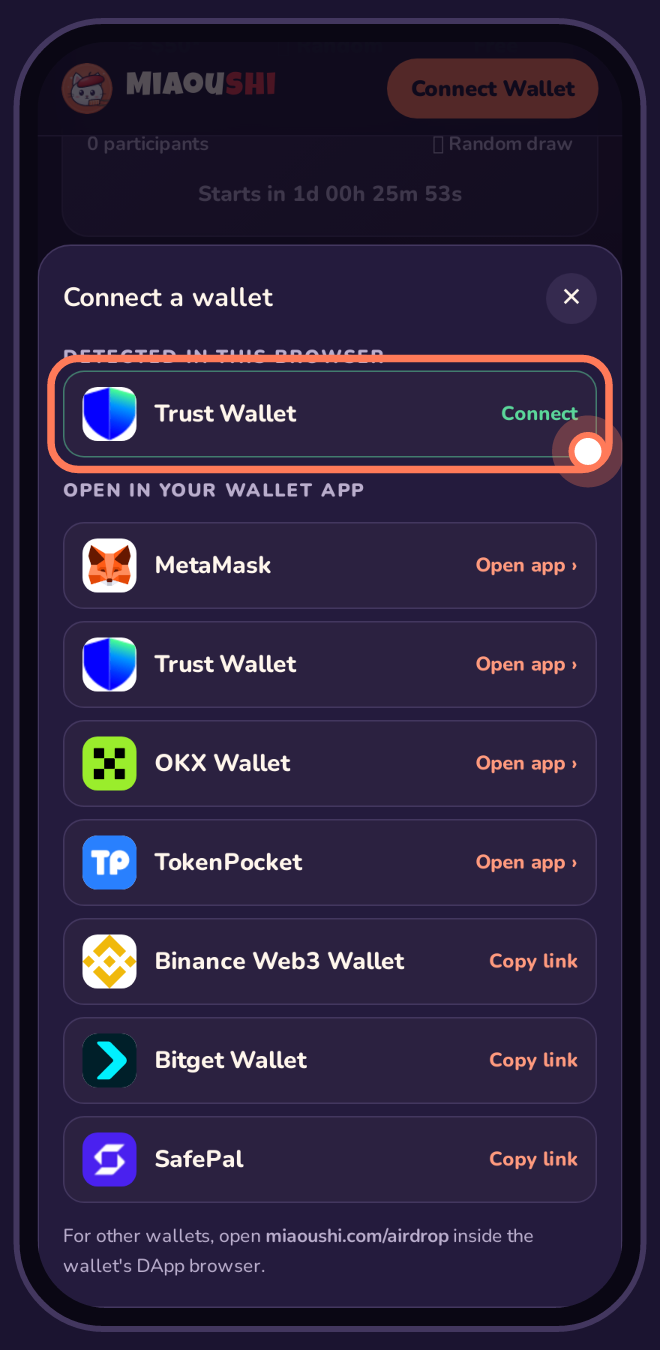
4 Choose your wallet
Your wallet appears at the top under Detected. Tap Connect, then approve in the wallet.
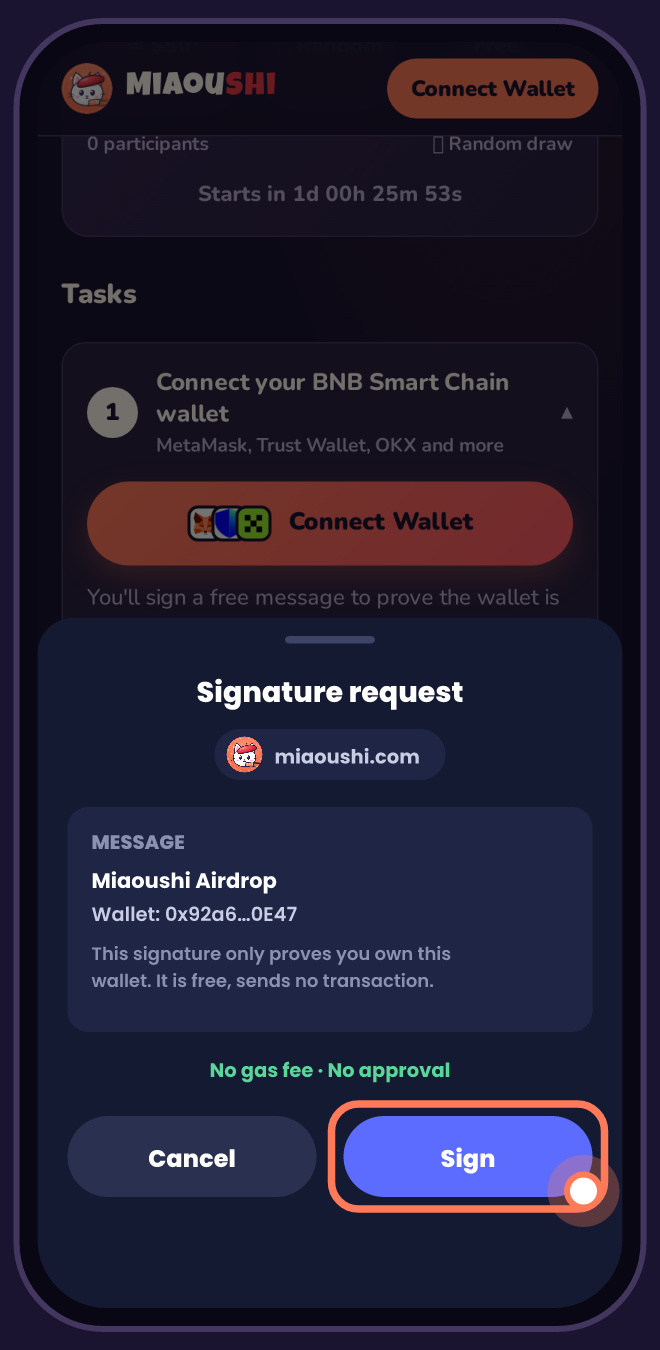
5 Tap Sign (free)
Sign the message to prove the wallet is yours. It costs nothing: no gas, no transaction, no approval.
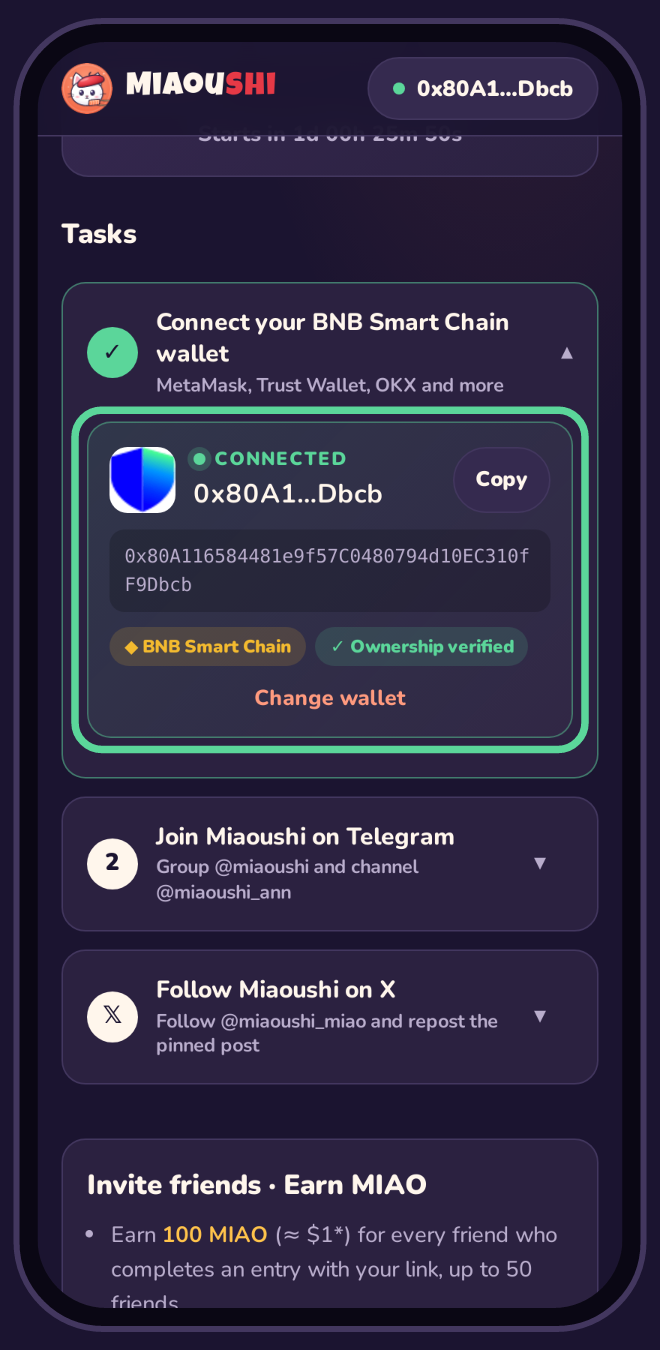
✓ Connected! 🎉
You'll see CONNECTED with your address. Now finish Task 2 (Telegram) and Task 3 (X), then submit.
💻 On a computer, tablet or laptop
- Install a wallet browser extension: MetaMask, Trust Wallet or OKX Wallet (Chrome, Brave, Edge or Firefox).
- Open miaoushi.com/airdrop in that browser and tap Connect Wallet. Your extension appears under “Detected”.
- Approve the connection and Sign the free message in the extension pop-up.
- “Verify with Telegram” opens Telegram Desktop or web.telegram.org. Tap Start there.
- Follow screenshot: Win + Shift + S (Windows) or Cmd + Shift + 4 (Mac) on x.com/miaoushi_miao with the Following button visible.
- On an iPad or Android tablet, use the wallet app's browser, just like on a phone.
Having trouble?
Nothing happens when I tap Connect
You're probably in an in-app browser (Telegram, X, Instagram…). Open your wallet app, go to its Browser tab and visit miaoushi.com/airdrop there.
I don't see my wallet under “Detected”
Use the “Open app” buttons in the list (MetaMask, Trust Wallet, OKX, TokenPocket), or copy the link and paste it in your wallet's DApp browser.
Is signing safe?
Yes. Signing only proves you own the address. It sends no transaction, costs no gas and gives nobody access to your tokens. Never type your 12/24-word seed phrase anywhere.
I don't have a wallet app
Install Trust Wallet or MetaMask, create a wallet and write down your recovery phrase on paper. Or tap “Paste your address instead” on the airdrop page.